Hellwave
To play the game, visit https://hellwave.quakeshack.dev/.
When I was working on QuakeShack, I realized I needed a test bed to try out new ideas and have some motivation to push certain tasks over the finish line.
After talking with a friend, one idea crystallized: What about a mash-up of Quake 1 and Killing Floor called Hellwave.
Specifications
The initial specification abstract looked like this:
- Single-player or co-op possible
- Safe zone with buy menu
- Everyone starts with 1,000 money
- Cap at 10,000 money
- Every kill gives 50 to 100 depending on the difficulty
- Share reward across the last three attackers?
- Enough to buy shotgun and some ammo in round 1
- Players can drop money, so they can share
- Fun powerups available later
- Berserk: really heavy armor plus quad damage, only axe
- Player starts with just an axe
- Player can drop current weapon (except axe)
- Later rounds get increasingly more difficult
- Later rounds will also spawn crates with items players might need (ammo or health)
- Killing enemies with an axe can give health randomly
- Why on top of QuakeShack instead of regular Quake or any other Quake engine? -> Web browser casual gaming support
Original Hellwave design notes
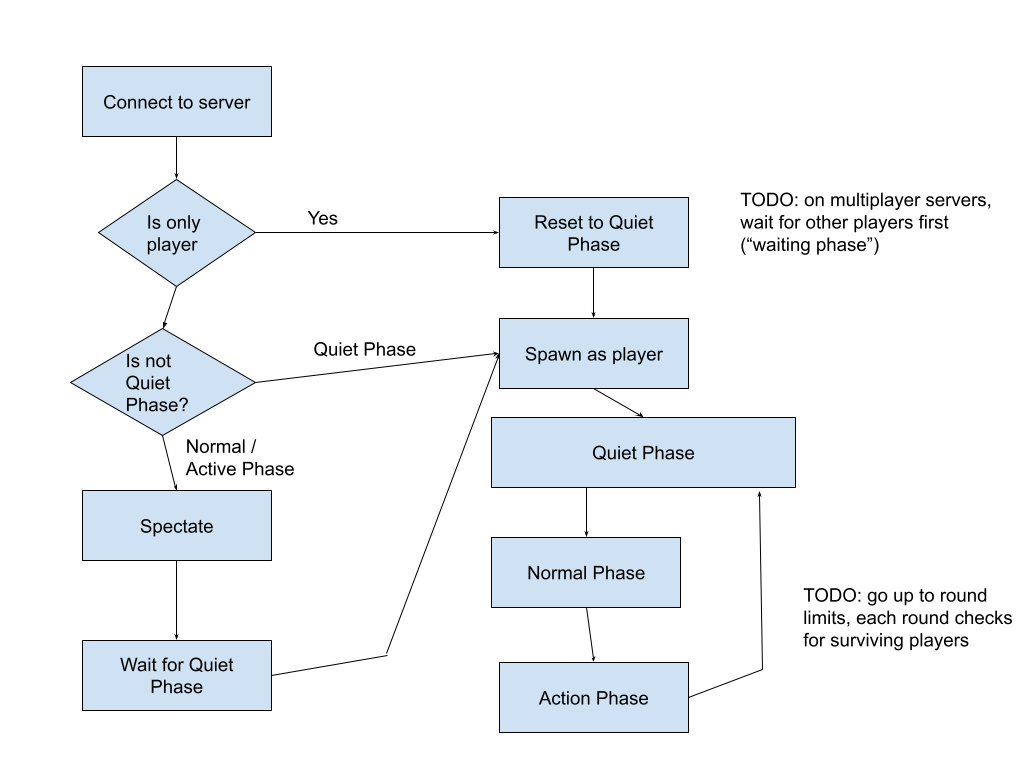
The game loop was identified quickly as well:
What was missing?
Having the core concept written down and sketched out led to the first list of to-dos the original QuakeShack engine could not provide:
- Infrastructure for Client Game Logic
- Precache all assets for dynamically spawning new entities
- Spectator mode
- Navigation system
- Game lobby support
These were the most critical things. Especially Client Game Logic is needed to support things like indicating safe zones and buy menus. The navigation system was also crucial, since enemies in the original Quake are quite dumb and simply run in the direction of the player.
Client Game Logic
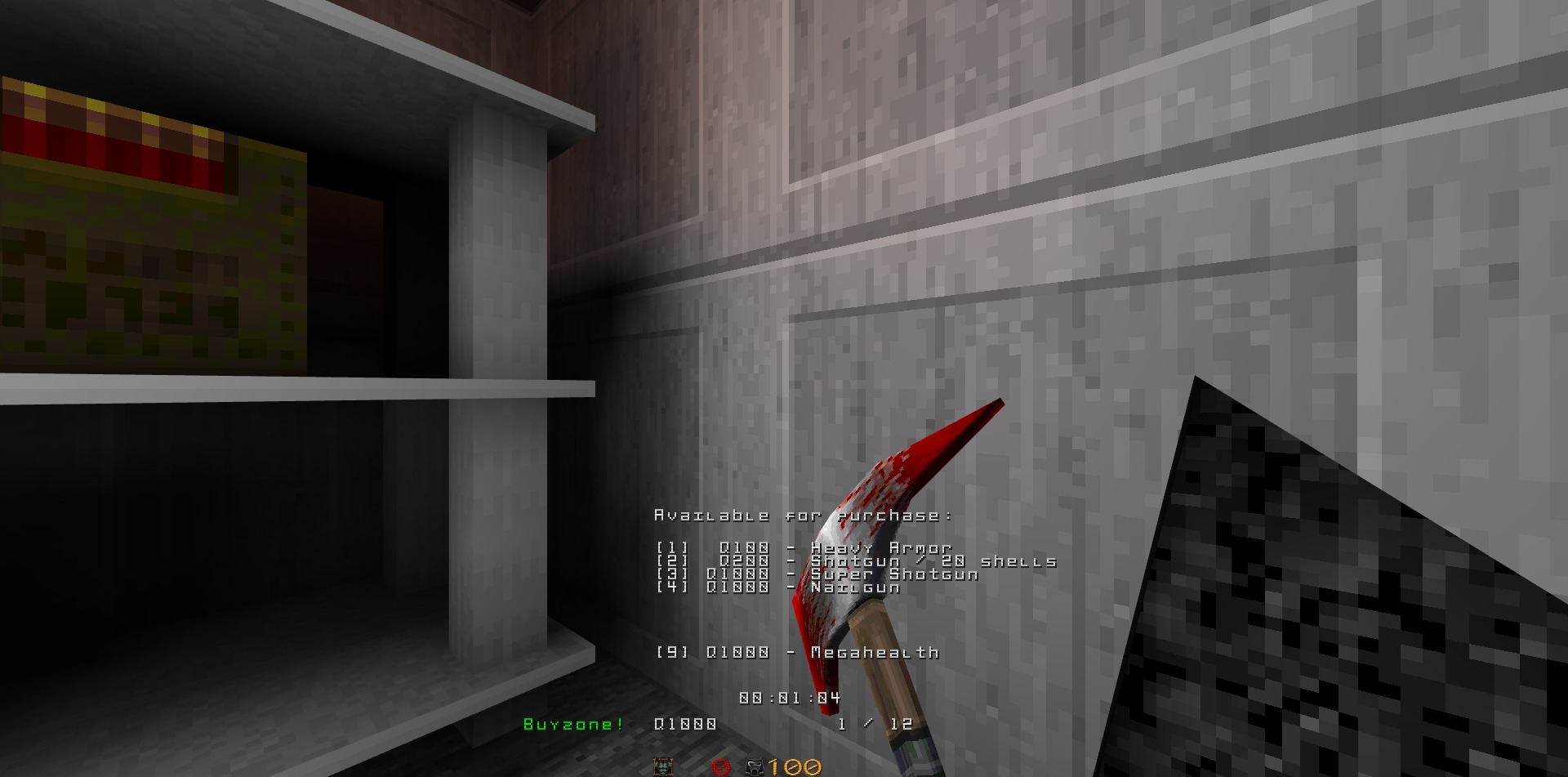
In order to enable rendering the current balance, enemy counter and buy menu, QuakeShack needed to provide infrastructure to the game code to influence rendering of the 2D layout, e.g. the HUD.
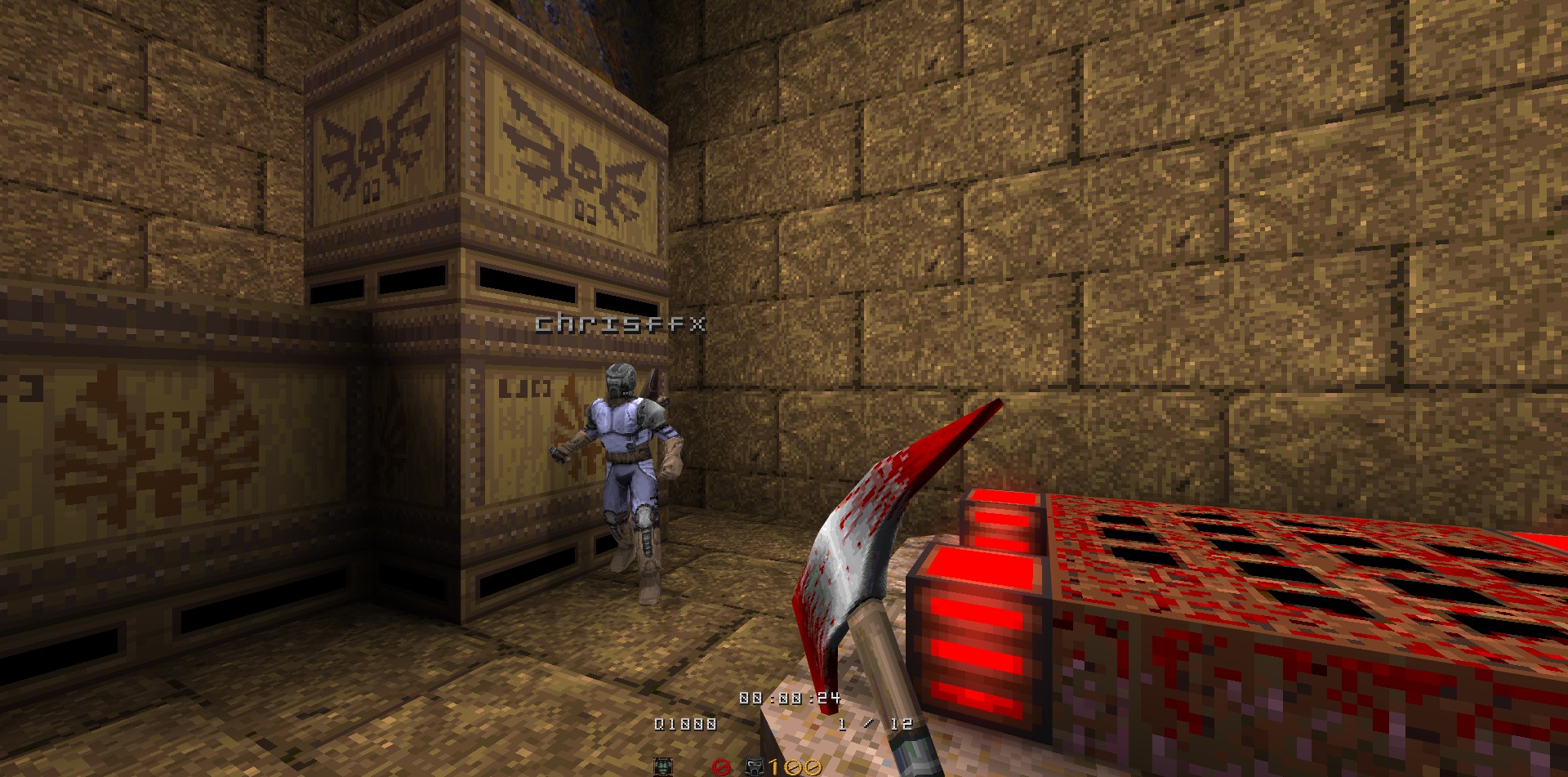
Showing other players and their name tag was another feature that was not provided at first. Now the Client Engine API supports an easy API to iterate over visible entities and translate world coordinates to screen coordinates.
By requiring features from the engine, development on the engine side is forced to consider a stricter separation between game and engine.
Spectator mode
The original Quake version on which QuakeShack is based does not include a spectator mode. In fact, there are many more features missing which only got added in QuakeWorld and were refined in Quake 2 later.
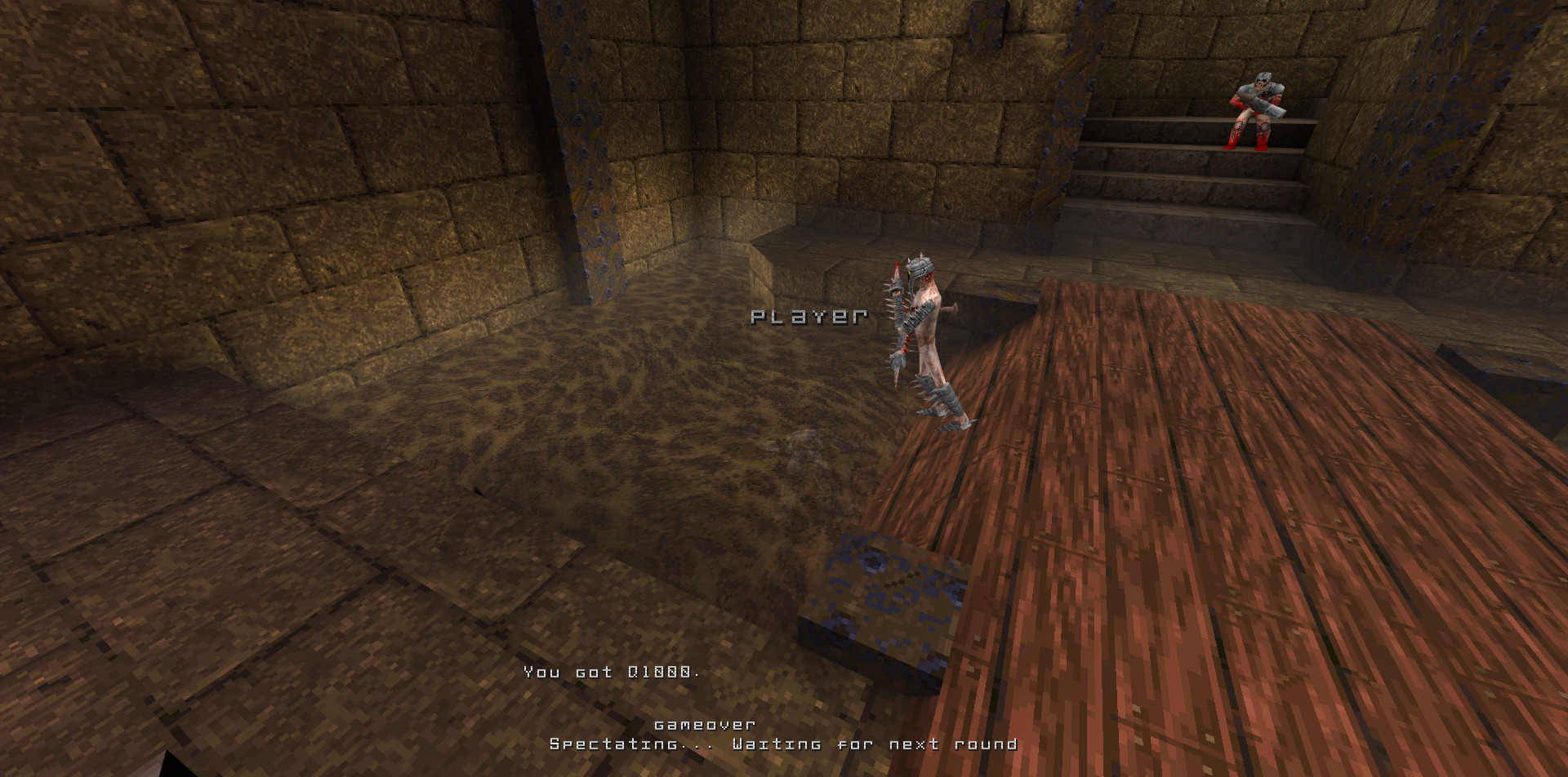
It took a while to backport the networking stack from QuakeWorld / Quake 2 to QuakeShack. Especially after identifying a lot of issues with the original hull-based collision system, and because the Pmove (player movement) code from Quake 2 is based on brush-side collisions using finite planes.
Spectating, however, was implemented in like 30 minutes by simply making the player invisible, taking it out of consideration in the AI code, hiding the view model and putting the player in noclip mode for free movement.
Navigation system
A quick brainstorming session with ChatGPT back then led to a prototype. Building a navigation mesh based on walkable surfaces. Sample waypoints across all surfaces and distill them into a graph by merging similar waypoints and linking them based on having line of sight.
It sounded much easier than it actually was, since the first big issue was the flipped normal vectors of planes, because Quake would originally simply assume the direction of normals by traversing the BSP tree. Only months later I found out that the qbsp tool actually writes the direction of faces into the BSP file which would allow me to correct the normal. Until that point I recalculated the normal by applying Newell’s method.
Another issue was the pruning of links that do not make sense. For this I’m using the traceline API which would basically check if a line between two points is not getting clipped by the world geometry.
Using b-splines to smooth out the path was helpful to visualize the path to the next safe house in-game.
Another thing I discovered, and which led me down another rabbit hole, was the performance impact of querying the A* graph. The game would no longer work well on a Raspberry Pi 3, so I decided to implement multi-threading to have a dedicated worker execute queries and, using the event bus, feed back into the game at a later time that a path had been determined.
So, yes, you can still run a dedicated server on a Raspberry Pi.
Game lobby support
The gameplay experience is clearly impacted when the ping is above 80 ms. That means I would either need to spin up dedicated servers on-demand in different regions or I’d look into an alternative networking setup. Since I worked with WebRTC before, I got an idea.
QuakeShack already supports WebSockets and has a somewhat abstract network interface which is a legacy of the original Quake architecture allowing different network drivers such as IPX, serial modems, TCP/IP.
WebRTC is used for video calls in browsers allowing peer-to-peer connections. Another feature it provides is data channels. With data channels we have the equivalent of WebSocket connections but based on WebRTC sessions.
Adding WebRTC to the engine was quite easy, we only needed one central piece that would broker WebRTC sessions. For that I vibecoded a “master server” which is hosted on Cloudflare using Durable Objects virtually costing nothing.
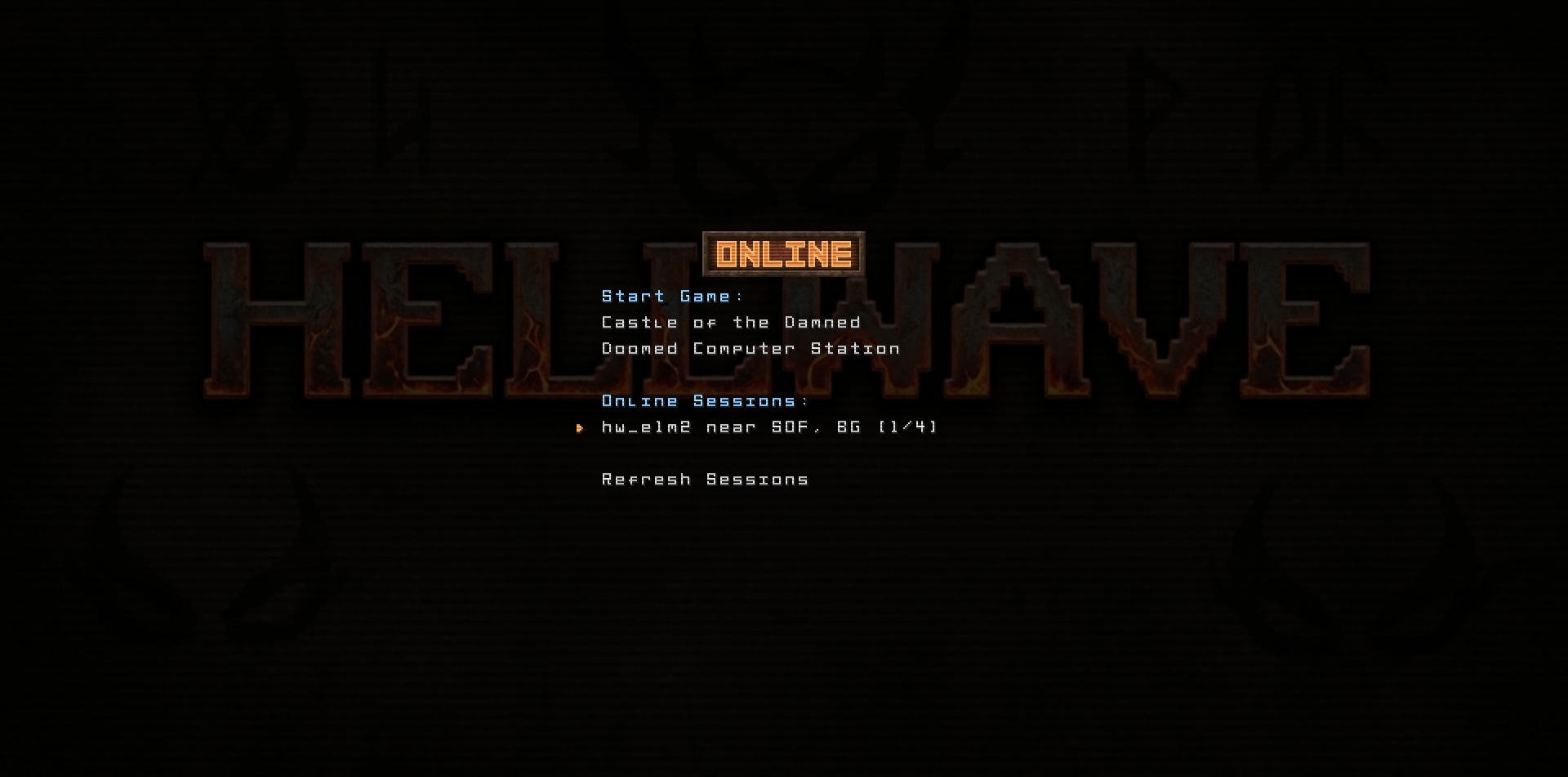
Connections over WebRTC work remarkably well. The RTT is fantastic and it works over both IPv4 as well as IPv6 without any issues.
What was nice-to-have?
Some of the features were clearly marked as nice-to-have on the feature list and their prioritization purely led by curiosity.
Most of them ended up upstream in QuakeShack.
Structuring the game code
For the first prototype I simply copied over the base game repository and changed the things I wanted to change. Of course, that’s a very bad practice. It makes it really hard to reconcile with changes done on the base game code.
I started to adjust the base game code to be more moddable. This allowed me to inherit classes and overwrite functions that were encapsulating individual logic.
const entityClasses = [].concat(id1EntityClasses, [
  HellwavePlayer,
  HellwaveBackpackEntity,
  HealthItemEntity,
  WallEntity,
  BuyZoneEntity,
  BuyZoneShuttersEntity,
  MonstersSpawnZoneEntity,
  PlayersSpawnZoneEntity,
  Superspike,
]);
That proved to be far more scalable in terms of development. Each adjustment I’m doing on the base game will allow future mods to be developed much faster and much more conveniently.
Building the game
Building the game so that it could be shipped was another painful challenge:
- Get the engine code
- Get the base game code
- Get the mod game code
- Build the engine and game code
- Run unit tests
- Get the base game assets
- Get the mod game assets
- Build the maps for the mod
- Generate the nav mesh for these maps
- Upload to Cloudflare R2
- Invalidate the CDN cache
In the beginning I did that manually from time to time or simply hosted the game locally for some play testing.
After a while I decided on having a meta repository containing all tools and assets and linking in all required repositories as git submodules.
A Jenkins project is now building the whole project and uploading the new assets incrementally.
Hosting the game
Luckily thanks to the peer-to-peer networking code and the fact that everything can be hosted statically, hosting is done by using Cloudflare R2.
https://hellwave.quakeshack.dev/
Acknowledgements
Thanks to the mighty fine folks over at LibreQuake, this game can be provided for free. Hellwave uses models, music tracks, and sound effects from LibreQuake.
Special thanks to John Romero for releasing the source files of the Quake 1 maps and of course, id Software for Classic Doom.